
USCIS Login
Creating a USCIS Online Account is open to anyone filing a form, benefit, or service request with USCIS. If you are working with an attorney or representative, they can create their own account to manage your case, but they cannot access your account.
Benefits of having a USCIS Online Account include:
- Filing certain USCIS forms, benefits, or service requests online
- Receiving alerts regarding changes to your submitted forms or benefits
- Easily uploading required documents and paying fees online
- Preventing common form filing mistakes such as missing required fields
- Checking the status of your USCIS case online with a full history of updates
- Responding to Request for Evidence (RFE) online if applicable
- Receiving confirmation and receipt notices for forms filed online
- Securely sending messages and responses with USCIS.
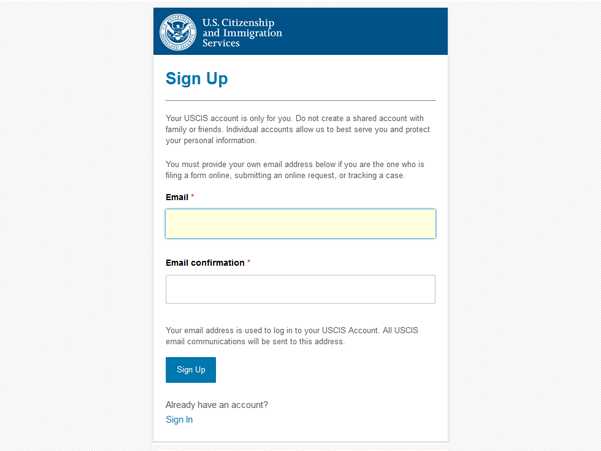
1. Access the Sign Up page: https://myaccount.uscis.gov/users/sign_up
- Note: It is important to avoid creating a shared account with anyone. Your USCIS online account is strictly for your personal use. Having separate accounts ensures efficient service and safeguards your personal information.
2. Enter your email and press "Sign Up."
- Your email address will serve as your login for your USCIS online account. All email communications from USCIS will be sent to this email address.
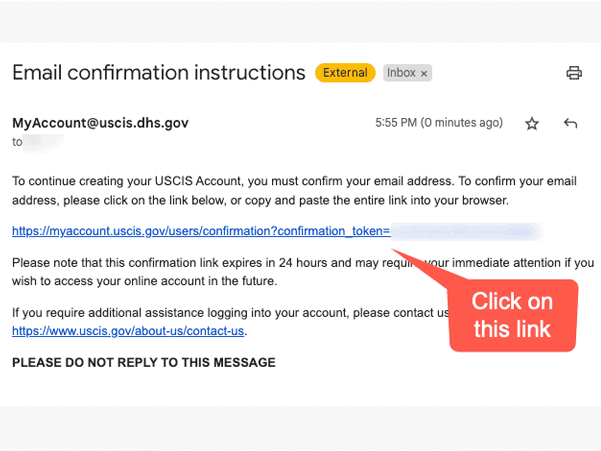
3. Verify Your Account
- A confirmation email will be sent to the email address you provided.
- To access the USCIS online account login page and continue creating your USCIS online account, click the link in the confirmation email.
- If the confirmation email is not in your inbox within 10 minutes, please check your junk/spam folder.
- If the email is not in your junk/spam folder either, select "Didn't receive confirmation instructions?" for further assistance.
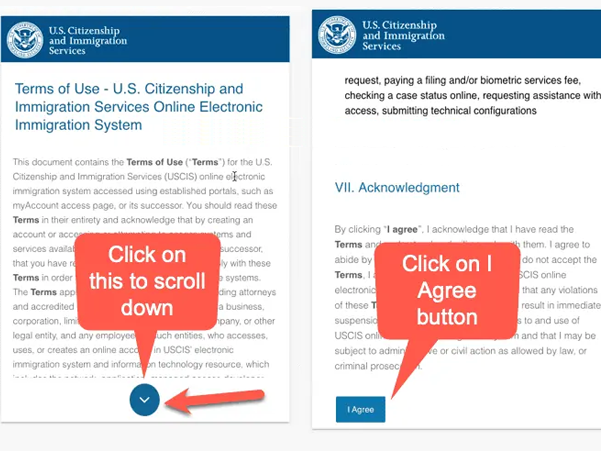
4. Review & Accept Terms of Use
- Please review the "Terms of Use" for the U.S. Citizenship and Immigration Services Online Electronic Immigration System.
- After reading, click "I Agree" to proceed.
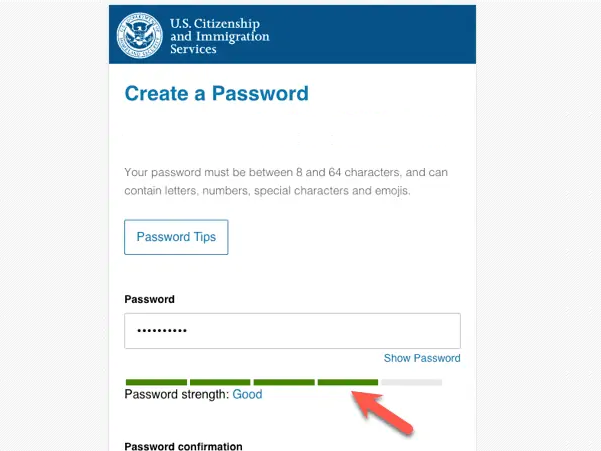
- Set a password for your USCIS online account.
- The password must meet the following criteria:
- At least 8 characters long
- Include one uppercase letter, one lowercase letter, and one special character.
- Enter the password and confirm it, then click "Submit".
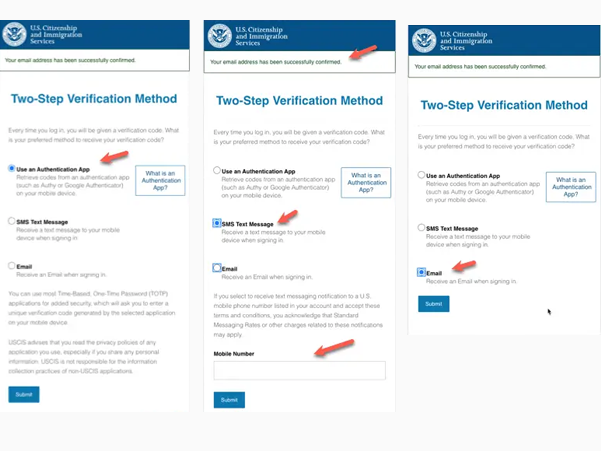
6. Choose Verification Code Delivery Method
- You will be prompted to choose how you would like to receive a one-time verification code every time you log in to your USCIS online account for added security.
- The code will be sent via email, text message, or authentication app, depending on your selection.
- To increase security, consider selecting both email and text message options, then click "Submit".
- If you choose text message, you'll be asked to enter your U.S. mobile phone number (text messaging fees may apply).
- It may take a few minutes to receive the verification code. If you chose email, be sure to check your inbox and junk/spam folders.
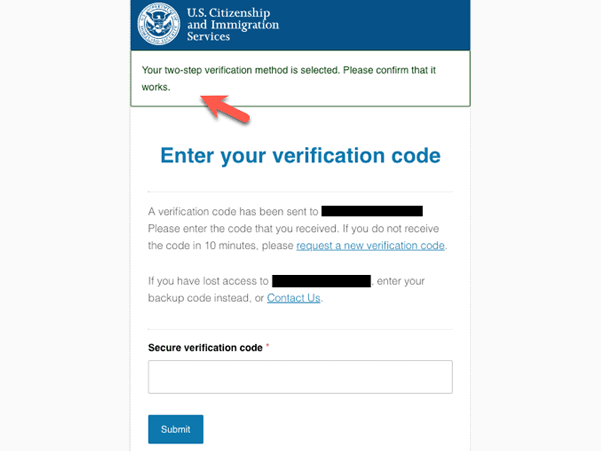
7. Enter Verification Code
- Every time you log in to your USCIS online account, you will receive a one-time verification code via the method selected in step 6.
- Enter the code under "Secure one-time password" and click "Submit".
- If the code hasn't arrived within 10 minutes, select "Request a new one-time password".
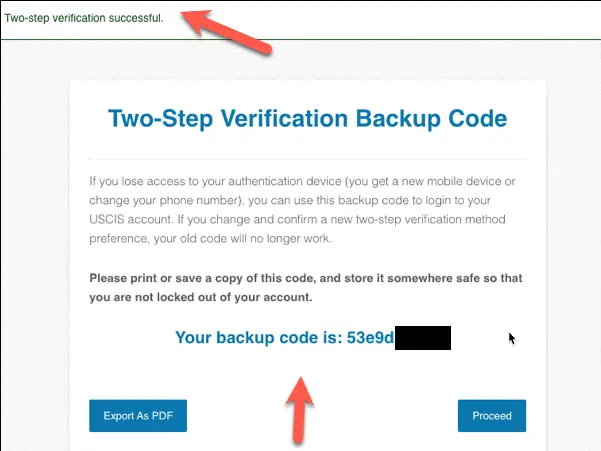
8. Save Backup Code
- Upon creating an account, you will receive a two-step verification backup code.
- It is important to print or save a copy of this code and store it securely.
- After obtaining the code, click "Proceed".
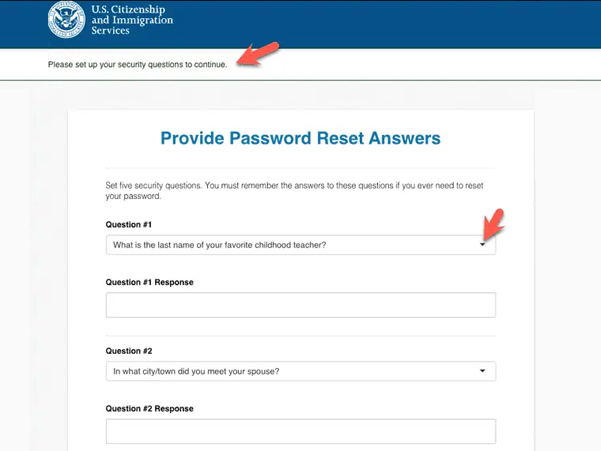
9. Choose Password Reset Questions
- From the drop-down menu, select five questions to be used in the event you need to reset your password.
- Provide answers to each question in the designated spaces. It is important to remember these answers.
- Once finished, click "Submit".
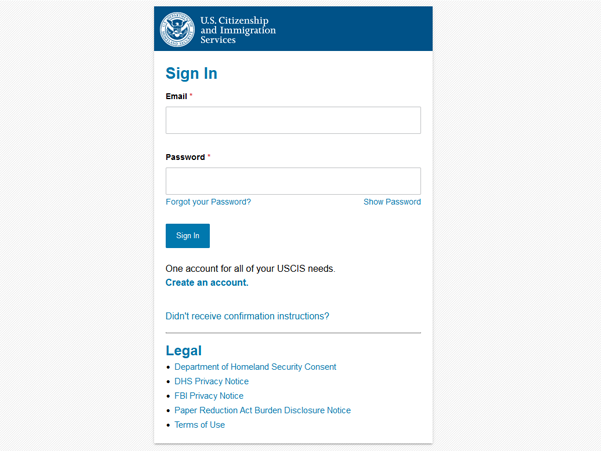
1. Access the Sign In page: https://myaccount.uscis.gov/
2. Enter your email and password. Press "Sign In."
If you experience issues with logging in, you may need to change or reset your USCIS password.