
Social Security Login

The Social Security Administration (SSA) offers an online service called "My Social Security," allowing you to view your earnings history, check benefits, and access various other SSA services. To create an account, you must have a valid email, U.S. mailing address, and Social Security number.
How to Set Up a My Social Security Account:
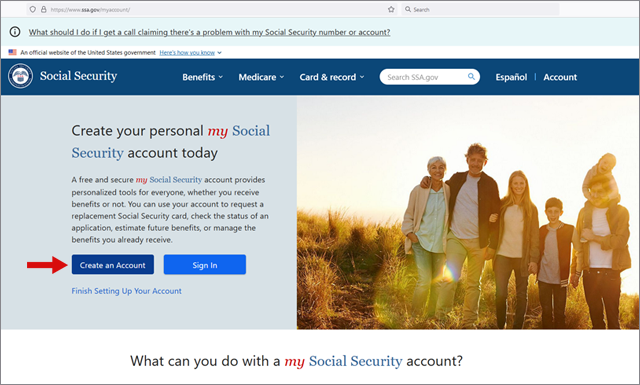
1. Visit the My Social Security page and click on the "Create New Account" button.
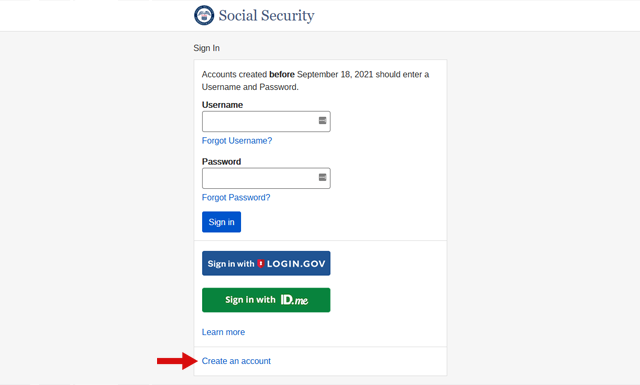
2. Next, click the "Create an account" link
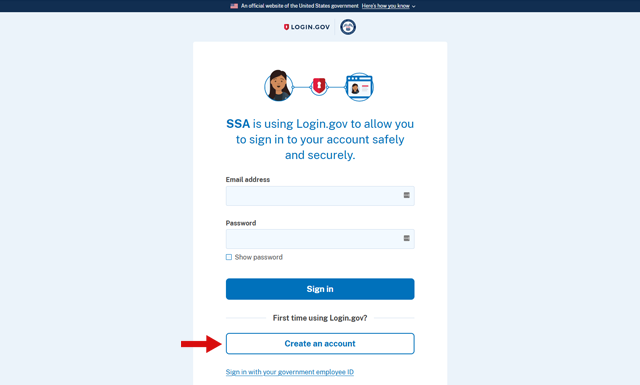
3. Under the text "First time using Login.gov?", click the "Create an account" button. Login.gov is a secure government portal that allows you to use one set of credentials to access multiple participating federal agencies.
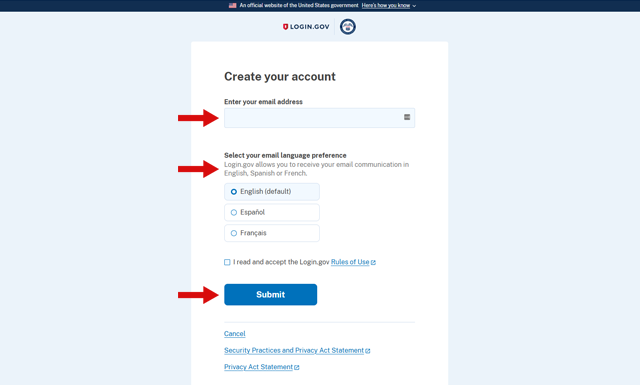
4. The following screens will prompt you to enter your email address and choose a language preference. You will then be asked to confirm your email and create a strong password that is at least 12 characters in length.
6. After reading and accepting the account terms of service, you will be asked to enter personal information that the SSA can use to identify you. This includes your name (as it appears on your Social Security card), address, date of birth, and Social Security number.
By following these steps, you will be able to create a My Social Security account and enjoy the convenience of accessing your Social Security information online."
At this stage, you have the option to add an extra layer of security to your My Social Security account. While this procedure was once mandatory, it is now optional since Social Security has implemented Login.gov for account access. If you choose to provide additional information, you have three options:
- Take photos of your state-issued ID such as a driver's license using your smartphone. The website will guide you through the process.
- Provide financial information such as your Social Security benefit amount, part of a credit card number, or data from a tax document like a W-2 or 1040 Schedule SE.
- Answer questions about your credit history. Note that if you choose this method, you will need to temporarily lift any freeze or alert on your credit report.
Whether you opt for enhanced security or not, you will be prompted one final time to receive an activation code by text message or phone call and enter it for verification. Once you have completed this step, your account is ready for use.
How to Login to My Social Security Account:
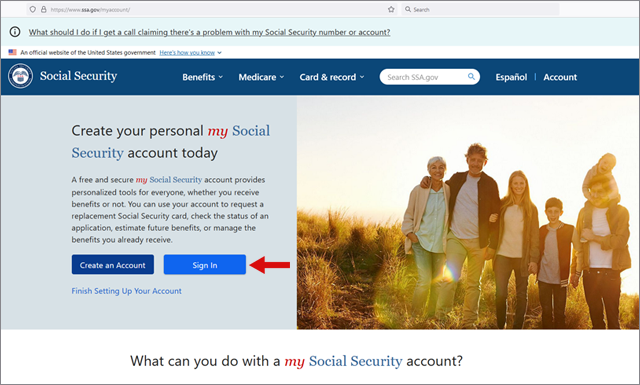
1. Visit the My Social Security page and click on the "Sign In" button.
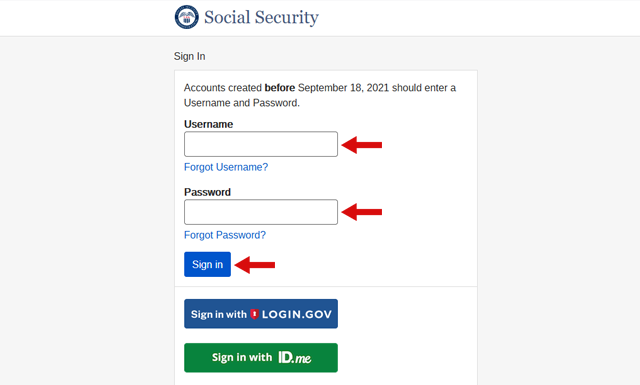
2. If your account was created before September 18, 2021, enter your Username and Password, and click "Sign in".
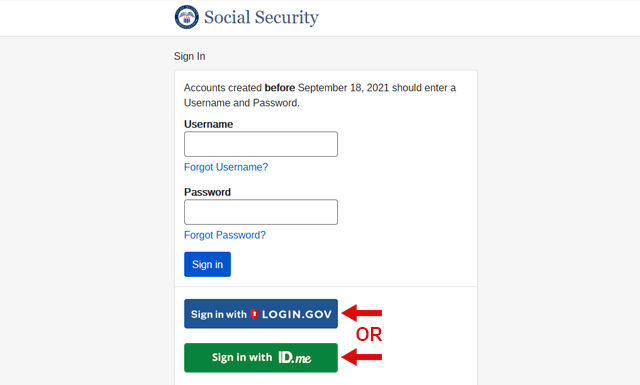
3. For accounts created on or after September 18, 2021, sign-in through either login.gov or ID.me, depending on which platform was utilized during account creation.
If you experience issues with logging in, you might need to change or reset your Social Security password.